Invite Supporters, Admin Staff and Volunteers
Invite Supporters, Admin Staff and Volunteers
CauseCircle gives you a few ways to bring your community into your nonprofit profile. You can invite people directly by email or use your nonprofit’s unique QR code to make onboarding easy at events, in campaigns, or on printed materials.
-
Invite Supporters
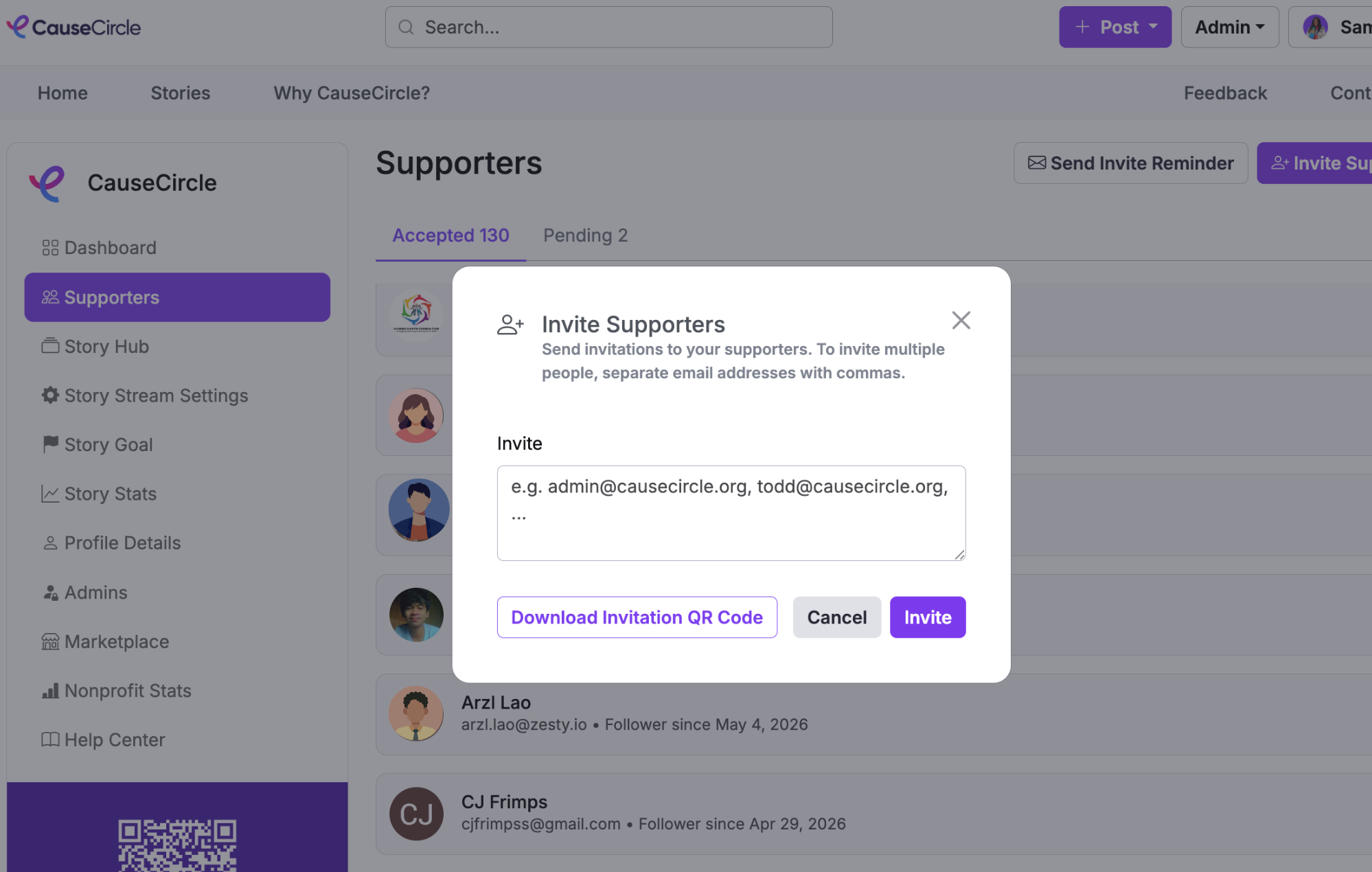
Use the Supporters section to invite people who can follow your nonprofit and contribute stories or other content.
-
Go to the Supporters section in the Admin Panel.
-
Enter email addresses individually, or copy and paste a comma-separated list of email addresses.
-
Send the invitation.
Each person will receive an email inviting them to join your nonprofit’s community on CauseCircle and submit stories for your organization.
You can use these invitations to collect different kinds of stories from the people closest to your mission. For example:
-
Donors: Invite donors to share why they chose to support your organization, what your mission means to them, or why they continue to give.
-
Program participants and beneficiaries: Ask people you have served to share how your nonprofit helped them, what changed for them, or what their experience was like.
-
Volunteers: Collect stories about why they volunteer, memorable experiences they have had, or the impact they have seen firsthand.
-
Supporters and advocates: Invite longtime supporters to share why they believe in your work, how they became involved, or why they encourage others to support your cause.
-
Staff: Collect behind-the-scenes stories about your programs, the people you serve, milestones, and moments that demonstrate your nonprofit’s impact.
These stories can become valuable content for fundraising campaigns, donor communications, social media, newsletters, annual reports, event materials, and other nonprofit storytelling.
2. Invite Admins
Use the Admins section to invite staff or team members who should have administrative access to your nonprofit profile and all its owned stories.
-
Go to the Admins section in the Admin Panel.
-
Enter email addresses individually, or copy and paste a comma-separated list.
-
Send the invitation.
Each person will receive an email with a login link and access to your nonprofit’s CauseCircle profile.
Only invite people you trust as Admins, since they will have access to manage your nonprofit’s CauseCircle presence.
3. Use Your Unique QR Code to Onboard Your Community
Every nonprofit on CauseCircle automatically gets a unique invitation QR code.
When someone scans your QR code, they are taken to a custom sign-up page for your nonprofit. After signing up, they will automatically follow your organization and be prompted to create a story.
This makes your QR code a simple way to onboard volunteers, donors, staff, event attendees, and other community members - and to collect stories and content from them.
You can find your unique QR code at the bottom of the Admin Panel sidebar. It is already generated for your nonprofit, so there is no additional setup required.
Add your QR code anywhere your community is likely to see it, including event signage, flyers and brochures, volunteer materials, fundraising campaigns, direct mail, email newsletters, social media graphics, and posters at your locations.