Story Information
Creating a story on CauseCircle is as easy as posting on Instagram and Facebook.
Currently, the only media type that can be uploaded are photos. Story Creation is supported on both website and mobile app. To create your Story:
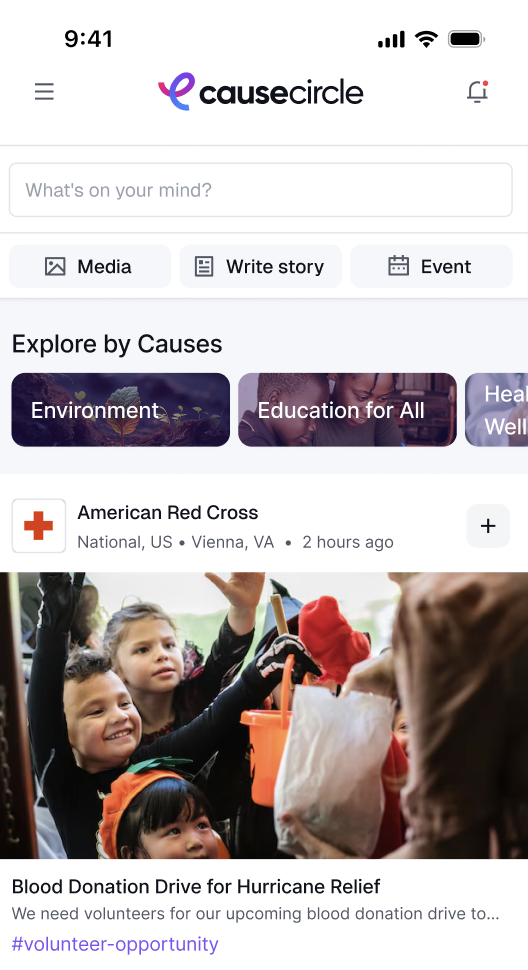
Click on Home in the Menu Bar. Click on the "Write Story" button in your Home Feed.
Capture or upload photos that highlight your nonprofit’s activities, events, or impact. You can select up to 5 photos per post.
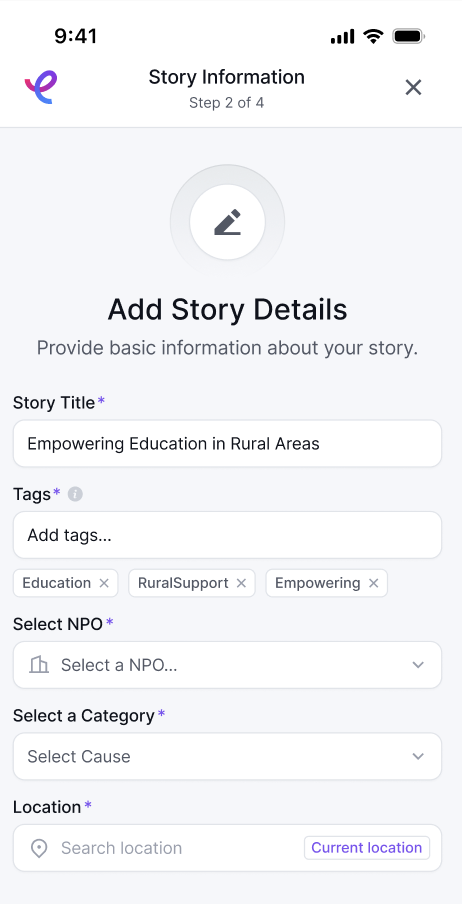
Add a compelling title and description to provide context for the story.
Select the Nonprofit you want to submit your Story to.
Once approved by your nonprofit admin, the story will be visible on your Nonprofit profile and all followers’ HomeFeed, encouraging engagement and shares.
Note: If you are a nonprofit Admin who wants to submit a Story to your nonprofit, follow the same steps as above. You will have to approve your own Story for it to appear on your nonprofit profile page.